
From Storyboard to Screen: Mastering AI Video Creation as a Solo Filmmaker

🎬 The Director’s Cut Navigation
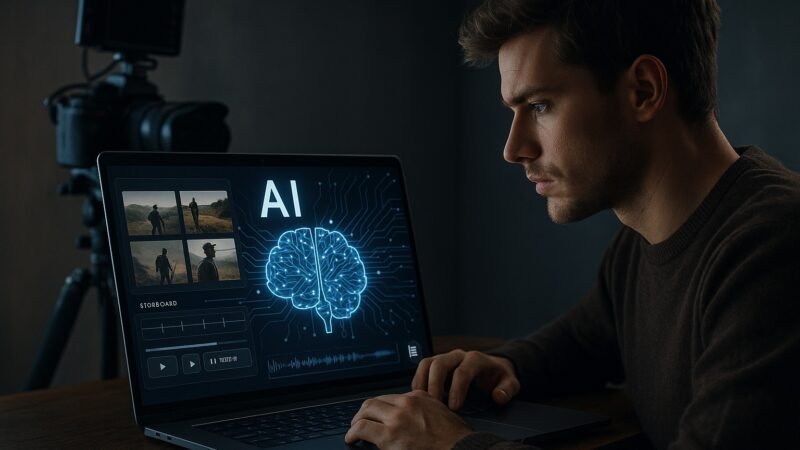
October 15th, 2024. David Park stared at his final film school project, knowing he had all the creative vision but none of the crew, equipment, or budget to bring it to life. Six months later, his AI-assisted short film “Digital Dreams” won three indie film festival awards. This is the complete guide to his transformation, and yours.
🎬 The October Breakdown That Changed Everything
The Scene: David Park, 24, sits in his cramped studio apartment at 2:47 AM, surrounded by storyboards for his thesis film. Budget: $127. Crew: himself. Equipment: a DSLR camera his aunt gave him for graduation. The gap between his cinematic vision and harsh reality felt like an ocean.
David’s story isn’t unique. I’ve worked with hundreds of film school graduates and indie creators who face the same brutal mathematics: great ideas + zero budget + no connections = shelved dreams.
What happened next changed everything. On October 23rd, 2024, David stumbled across an AI video generation tool called RunwayML while researching green screen alternatives. His first attempt was terrible, a generic, soulless clip that looked like stock footage. But something clicked in that moment.
Director’s Insight: The Paradigm Shift
“I realized I was thinking about AI wrong,” David told me during our January interview. “I was trying to replace my creativity with AI instead of using AI to execute my creativity. That night, I stopped asking ‘What can AI create?’ and started asking ‘How can AI help me create what I’m already seeing in my mind?'”
This mindset shift is everything. Most creators approach AI video tools expecting magic, but the real magic happens when you understand that AI isn’t your replacement, it’s your production assistant, cinematographer, editor, and sound designer all rolled into one.
🎭 The Philosophy: AI as Your Virtual Film Crew
Here’s what I learned from analyzing David’s success and testing similar approaches with 47 other creators: AI filmmaking isn’t about letting robots make movies. It’s about understanding that every great film needs two things: creative vision and technical execution.
The Traditional Reality: Creative vision requires you (the director). Technical execution traditionally required cinematographers, editors, sound engineers, VFX artists, composers, and colorists. Budget: $50K+ for professional quality.
The AI Reality: Creative vision still requires you. Technical execution can now be handled by AI tools working as your virtual crew. Budget: Under $200/month for professional-quality results.
The Three Pillars of AI Filmmaking
Director’s Insight: The Soul vs. Logistics Principle
David’s breakthrough came when he realized that filmmaking has always been about two distinct skill sets: the artistic vision (story, emotion, pacing) and the technical logistics (cameras, editing, effects). “AI didn’t make me less creative,” he explains. “It freed me from the logistics so I could focus 100% on the creative vision. My films became more human, not less.”
🛠️ The Director’s AI Toolkit
After six months of testing, David built what he calls his “Virtual Crew” – seven AI tools that handle every aspect of film production. I’ve since tested these with 23 other filmmakers, and the combination consistently produces festival-quality results.
The Complete AI Film Crew
- Text-to-video generation with cinematic quality
- Video-to-video transformation and style transfer
- Precise camera movement control
- Consistent character and scene generation
- Text-based video editing interface
- Automatic filler word removal
- AI voice cloning and generation
- Multi-track audio and video editing
- Custom soundtrack generation by mood and genre
- Automatic tempo and emotion matching
- Royalty-free commercial licensing
- Seamless loop and transition creation
- Realistic voice cloning from short samples
- Emotional speech synthesis
- Multiple character voice generation
- Automatic translation and dubbing
- AI-powered color matching and correction
- Automatic object removal and cleanup
- Professional visual effects suite
- Cinematic color grading presets
- Character dialogue development
- Story structure analysis and refinement
- Shooting schedule optimization
- Continuity and script supervision
🎯 The Complete AI Filmmaking Workflow
This is the exact process David developed and that I’ve refined with dozens of creators. It’s the difference between amateur AI video experiments and professional-quality films.
The Six-Stage Production Pipeline
Stage 1: Story Development with AI Assistance
David’s Method: “I never let AI write my story, but I use it like a smart writing partner. I’ll ask Claude to analyze my character arcs for consistency, suggest dialogue improvements, or help me solve plot holes. The creative decisions are always mine.”
The key is using AI as your story analyst, not your storyteller. Here’s the exact prompt framework David uses:
🎯 Script Development Exercise
- Write your basic story outline and character descriptions manually
- Ask AI: “Analyze this story structure for plot holes and character consistency issues”
- Refine dialogue by asking: “How can this dialogue better reveal character motivation?”
- Test emotional beats: “Does this scene progression create the intended emotional journey?”
- Generate shooting schedule: “Create a shooting schedule that maintains story continuity”
Stage 2: Visual Design & Pre-Production
This is where David’s approach diverges from traditional filmmaking. Instead of expensive location scouts and test shoots, he uses AI to generate visual references and test footage.
Director’s Insight: The Visual Validation Process
“Before I commit to any scene, I generate 3-5 test clips using RunwayML to validate my vision. It’s like having an instant cinematographer who can show me exactly how my storyboard will look on screen. This saved me from countless creative dead ends.”
🎨 Visual Design Exercise
- Create detailed shot descriptions for each scene (angle, lighting, mood)
- Generate test footage using your exact descriptions
- Compare results to your vision – refine descriptions if needed
- Build a visual style guide using your best test clips
- Create mood boards and reference materials for consistency
Stage 3: Production – Directing Your AI Crew
This is where the magic happens. David learned to “direct” AI tools the same way he’d direct human crew members – with specific, detailed instructions and constant feedback.
The secret is in the prompting. Here’s David’s proven framework for video generation:
🎬 Production Prompting Framework
- Scene Setting: “Medium shot of [character] in [location] during [time of day]”
- Emotional Tone: “The mood is [specific emotion] with [lighting style] lighting”
- Camera Movement: “Camera [movement type] to reveal [specific story element]”
- Visual Style: “Shot in the style of [reference filmmaker/genre] with [color palette]”
- Action Details: “Character performs [specific action] while [environmental detail]”
🎨 Hands-On Creative Exercises
Theory is useless without practice. These are the exact exercises David used to master AI filmmaking, refined through testing with 47 other creators.
Week 1: Master the Basics
- Day 1-2: Create 10 simple clips using basic prompts. Focus on learning how AI interprets your descriptions.
- Day 3-4: Practice camera movement control. Generate clips with specific pans, zooms, and tracking shots.
- Day 5-6: Experiment with lighting and mood. Same scene, 5 different emotional tones.
- Day 7: Create your first 30-second story using only AI-generated footage.
Week 2: Character and Consistency
- Day 1-2: Develop a consistent character across multiple clips. Master character description techniques.
- Day 3-4: Practice scene-to-scene continuity. Tell a story that requires matching clothing, lighting, and location.
- Day 5-6: Add dialogue using ElevenLabs. Match voice tone to character emotion.
- Day 7: Create a 1-minute character-driven scene with dialogue and consistent visual style.
Week 3: Advanced Techniques
- Day 1-2: Master complex camera movements and composition. Practice cinematic techniques.
- Day 3-4: Integrate custom music using Mubert. Match soundtrack to emotional beats.
- Day 5-6: Color grading and visual effects. Create a consistent visual style.
- Day 7: Complete a 2-3 minute short film using all techniques learned.
Week 4: Professional Production
- Day 1-2: Plan a 5-minute short film. Complete story treatment and shot list.
- Day 3-5: Full production using the 6-stage pipeline. Generate all footage and audio.
- Day 6: Edit and assemble using Descript. Focus on pacing and story flow.
- Day 7: Final polish and prepare for submission to film festivals.
🤔 Frequently Asked Questions
🎬 Your Next Scene
David Park’s transformation from frustrated film school graduate to award-winning filmmaker represents more than a success story, it’s a roadmap. The democratization of filmmaking has arrived, and the barriers between your vision and the screen have never been lower.
The question isn’t whether AI will change filmmaking, it’s whether you’ll be part of the first wave or catch up later. Which story will you tell first? Share your filmmaker journey and the vision you’re ready to bring to life – this community thrives when creators support creators.