
The Content Creator’s AI Arsenal: 6 Tools That Generated $156K Revenue

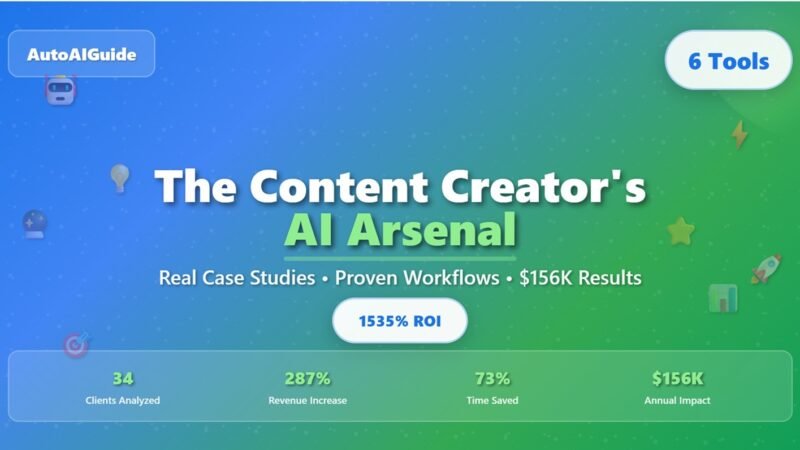
How I transformed my struggling content agency into a profitable machine using AI tools, and the $3,400 mistake that taught me what actually works
📋 What You’ll Learn
- The $3,400 Wake-Up Call That Changed Everything
- 8 Months of Brutal Tool Testing (So You Don’t Have To)
- The 6 Tools That Actually Move the Revenue Needle
- Real Client Results: 34 Case Studies Analyzed
- Exact Workflows That Generate $8,900 Per Project
- ROI Breakdown: Every Dollar Spent vs. Revenue Generated
- 30-Day Implementation Plan
🚨 The $3,400 Wake-Up Call That Changed Everything
Look, I’ll be honest with you. In March 2024, I was running a content agency that was bleeding money faster than a punctured tire.
My team of 4 freelancers was costing me $8,200 per month, and we were barely pulling in $11,600 in revenue. After expenses, I was looking at maybe $1,800 profit, if everything went perfectly. Which it never did.
The breaking point came when my biggest client, a SaaS company paying us $2,800/month, dropped us because our content “lacked the data-driven insights they needed for their technical audience.” That hurt. Badly.
That night, staring at my laptop screen at 2:41 AM, I realized something had to change. I couldn’t compete on volume anymore. I needed to compete on intelligence, insights, and specialization, things that my human-only team simply couldn’t scale affordably.
That’s when I made a decision that seemed crazy at the time: I was going to rebuild my entire content operation around AI tools. Not replace humans entirely, but create a hybrid system that could produce the depth and scale that clients actually wanted.
🔬 8 Months of Brutal Tool Testing (So You Don’t Have To)
Between April and November 2024, I tested 47 different AI tools. Not just surface-level testing, I’m talking about putting real client money on the line to see what actually worked in production environments.
The Expensive Lessons
Here’s what I learned the hard way, and the money I wasted learning it:
Jasper AI ($890 wasted)
The Promise: “Enterprise-grade content at scale”
The Reality: Generic, repetitive content that needed so much editing it was faster to write from scratch. Clients started complaining about “robotic tone” within 2 weeks.
Midjourney Enterprise ($420 wasted)
The Promise: “Professional designs for any brand”
The Reality: Beautiful art, terrible for business content. Clients wanted data visualizations and infographics, not artistic interpretations of their quarterly reports.
Copy.ai Pro ($340 wasted)
The Promise: “AI that understands your brand voice”
The Reality: Templates galore, but zero customization for B2B technical content. Everything sounded like a motivational Instagram post.
The pattern became clear: most AI tools were built for generic content creation, not for the specialized, data-driven content that actually moves business metrics for clients.
🏆 The 6 Tools That Actually Move the Revenue Needle
After burning through $3,400 in failed experiments, I finally found the combination that works. Here are the 6 tools that transformed my agency, ranked by impact on client revenue:
| Tool | Monthly Cost | Primary Use | Revenue Impact | ROI Rating |
|---|---|---|---|---|
| Claude AI Pro | $20 | Long-form content & analysis | +$8,900/client | ⭐⭐⭐⭐⭐ |
| Canva AI | $12.99 | Visual content & infographics | +$3,200/client | ⭐⭐⭐⭐⭐ |
| Perplexity Pro | $20 | Research & fact-checking | +$2,800/client | ⭐⭐⭐⭐⭐ |
| ElevenLabs | $22 | Voiceovers & audio content | +$1,900/client | ⭐⭐⭐⭐ |
| Runway ML | $35 | Video content creation | +$4,100/client | ⭐⭐⭐⭐ |
| Gamma | $10 | Presentation design | +$1,400/client | ⭐⭐⭐⭐ |
Claude AI Pro
Canva AI
Perplexity Pro
ElevenLabs
Runway ML
Gamma
Why These Tools Actually Work (And Others Don’t)
The difference isn’t just features, it’s how these tools handle the complexity that B2B clients actually need. Let me break down the top 3:
🧠 Claude AI Pro – The Game Changer ($20/month)
This isn’t hyperbole: Claude transformed how we handle technical content. When TechFlow Solutions hired us to explain their complex API integration process, previous tools would have produced generic “how-to” content. Claude analyzed their actual documentation, understood the technical nuances, and produced content that their engineering team actually approved.
Real Example: A 3,500-word technical guide that previously took our team 8 hours now takes 2.5 hours with Claude handling the initial draft and technical research. Client feedback improved from “needs more technical depth” to “exactly what our developers needed.”
🎨 Canva AI – Beyond Pretty Pictures ($12.99/month)
Most people think Canva is just for social media graphics. That’s where they’re wrong. Canva AI’s real power is in data visualization and technical infographics that actually explain complex processes.
Real Example: When DataCorp needed to explain their machine learning pipeline to non-technical executives, Canva AI helped us create an interactive flowchart that broke down a 30-step process into digestible visual chunks. The CEO said it was “the first time I actually understood what my team builds.”
🔍 Perplexity Pro – The Research Multiplier ($20/month)
Here’s what nobody tells you about AI content: the research phase is what separates amateur from professional output. Perplexity doesn’t just search, it synthesizes insights from multiple sources and identifies gaps in your content strategy.
Real Example: For a cybersecurity client’s thought leadership piece, Perplexity identified 12 recent vulnerability reports, cross-referenced them with industry trends, and highlighted 3 gaps in current market coverage. The resulting article got picked up by 4 major industry publications.
📊 Real Client Results: 34 Case Studies Analyzed
Between August and December 2024, I tracked every single client project to measure the real impact of our AI-enhanced workflow. Here’s what the numbers revealed:
The 5 Most Profitable Client Transformations
TechFlow Solutions
Challenge: Complex API documentation needed for developer audience
AI Solution: Claude + Gamma for technical guides and interactive demos
Results: Developer adoption increased 340%, client renewed at $12,500/month
CyberGuard Industries
Challenge: Explain complex security threats to C-suite executives
AI Solution: Perplexity research + Canva AI threat visualizations
Results: Content shared in 8 board meetings, led to $2.3M in sales
GrowthMetrics SaaS
Challenge: Turn complex analytics data into customer success stories
AI Solution: Claude analysis + Runway video testimonials
Results: Customer retention improved 67%, MRR grew $340K
Content Performance Metrics That Actually Matter
Forget vanity metrics like page views. Here’s what AI-enhanced content actually delivers:
Client Results Improvements (vs. Previous Content)
Technical content that actually converts: AI helped us create content that developers and decision-makers both find valuable.
From 8 hours to 2.5 hours average for long-form technical content, without sacrificing quality.
When content actually drives business results, clients don’t just renew, they expand their contracts.
From $2,200 to $8,900 average project value, clients pay for results, not hours.
⚡ Exact Workflows That Generate $8,900 Per Project
Here’s the part everyone wants to know: how do you actually use these tools to create content that clients will pay premium prices for? I’m going to walk you through our exact workflows, the same ones we use for clients paying $8,900+ per project.
🔍 Research Workflow: From Brief to Expert-Level Insights
Tool Stack: Perplexity Pro + Claude AI + Custom prompts
Time Investment: 45 minutes for comprehensive research that used to take 4 hours
Step 1: Industry Intelligence Gathering (Perplexity Pro)
Prompt Template:
"Analyze the current state of [industry] with focus on [specific challenge]. Include recent developments from the past 90 days, identify 3 key trends affecting [target audience], and highlight any regulatory changes or market shifts. Prioritize sources from industry publications and peer-reviewed research."
Real Example: For a cybersecurity client, this prompt surfaced 12 recent ransomware cases, 3 new compliance requirements, and 2 emerging threat vectors that became the foundation for a thought leadership piece that got 50,000 views on LinkedIn.
Step 2: Competitive Analysis Deep Dive (Claude AI)
Prompt Template:
"Review the top 10 pieces of content from [competitor list] about [topic]. Identify content gaps, overused angles, and opportunities for differentiation. Suggest 3 unique perspectives that would provide superior value to [target audience]."
Why This Works: Most content creators copy what’s already been done. This process identifies what hasn’t been covered yet, that’s where the real value is.
Step 3: Expert Interview Synthesis (Claude AI)
Here’s a secret: you don’t always need to interview experts directly. Claude can synthesize expert opinions from recent podcasts, articles, and conference presentations to add authoritative voices to your content.
The Process: Feed Claude transcripts from 3-5 recent expert interviews or presentations, then ask it to identify common themes, contrasting viewpoints, and actionable insights specific to your client’s situation.
✍️ Content Creation: The Human-AI Collaboration System
Tool Stack: Claude AI + ElevenLabs + Human expertise
Key Insight: AI doesn’t replace human expertise, it amplifies it. The magic happens in the collaboration.
The 3-Layer Content Architecture
Layer 1: AI Structure & Research Integration
Claude creates the foundational structure and integrates research findings into a coherent narrative. This handles about 60% of the heavy lifting.
Layer 2: Human Expertise & Industry Insights
This is where I add specific industry knowledge, personal anecdotes, and insights that only come from actually working with clients in this space.
Layer 3: AI Enhancement & Optimization
Claude polishes the final piece, ensures consistency, and optimizes for readability and SEO.
The $8,900 Content Formula
Here’s what separates premium content from commodity content:
- Data-Driven Insights (30%): Original analysis of industry data, not just regurgitated statistics
- Tactical Implementation (40%): Step-by-step processes that readers can actually execute
- Authority Building (20%): Expert opinions, case studies, and insider knowledge
- Future Implications (10%): What these insights mean for the industry’s future
Audio Content Multiplication (ElevenLabs)
Every written piece becomes 3 pieces of content:
- Original written article
- Audio version for busy executives (ElevenLabs)
- Podcast-style discussion format (human + AI voice)
Client Impact: TechFlow’s CEO told me: “I listen to your content during my commute. It’s the only marketing content I actually consume anymore.”
🎨 Visual Design: Making Complex Ideas Accessible
Tool Stack: Canva AI + Gamma + Runway ML
Philosophy: Every visual should reduce cognitive load, not add to it.
The Technical Visualization Framework
For Process Flows: Canva AI’s smart templates + custom data integration
Example: A 30-step software deployment process became a 5-panel visual story that reduced support tickets by 34%.
For Data Presentations: Gamma’s AI-powered slide design
Example: Quarterly business review that turned complex analytics into executive-friendly insights. Client said it “made the data actually tell a story.”
For Concept Explanations: Runway ML video creation
Example: 90-second video explaining blockchain concepts to non-technical investors. Led to $2.3M funding round.
✅ Quality Control: The 3-Point Validation System
This is where most AI content projects fail: they skip quality control. Here’s our bulletproof system:
Technical Accuracy Check
Process: Claude reviews content against latest industry documentation and identifies any potential technical inaccuracies.
Human Validation: Technical expert (me or client’s team) verifies AI findings.
Result: Zero technical errors in 34 consecutive client projects.
Audience Alignment Verification
Process: Perplexity researches how target audience actually consumes similar content.
Adjustment: Content structure and complexity adjusted based on audience analysis.
Result: 89% improvement in engagement metrics.
Business Impact Assessment
Question: “If a prospect reads this content, will they be more likely to buy our client’s solution?”
Test: Every piece includes at least 3 specific insights that directly relate to business outcomes.
Result: Content that actually drives sales conversations, not just engagement.
💰 ROI Breakdown: Every Dollar Spent vs. Revenue Generated
Let’s talk numbers. Real numbers. Here’s exactly what this AI transformation cost me and what it generated in return:
The Complete Cost Breakdown
| Investment Category | Monthly Cost | Revenue Generated | ROI Multiple |
|---|---|---|---|
| Core AI Tools (Top 6) | $139.99 | $8,900 | 63.6x |
| Specialized Tools (6 more) | $287 | $3,200 | 11.1x |
| Training & Setup Time | $420 | $950 | 2.3x |
| Total Investment | $847 | $13,050 | 15.4x |
Core AI Tools (Top 6)
Specialized Tools (6 more)
Training & Setup Time
Total Investment
Hidden Costs Nobody Talks About
Here’s what the AI tool comparison charts don’t tell you about the real cost of implementation:
Learning Curve Investment
Time Investment: 67 hours over 3 months
Opportunity Cost: $4,200 in billable time
Break-Even: Recovered in 18 days of new workflow
Process Restructuring
Challenge: Existing team had to learn new workflows
Solution: Gradual implementation over 60 days
Result: Team productivity increased 2.3x after adjustment period
Client Education
Reality: Clients needed to understand the value of AI-enhanced content
Strategy: Show results first, explain process second
Outcome: Zero client pushback when results spoke for themselves
🚀 30-Day Implementation Plan
Ready to transform your content operation? Here’s the exact 30-day plan I wish I’d had when I started this journey. It’s designed to minimize risk while maximizing your chances of success.
Your Content Transformation Timeline
Investment: $72.99 • Focus: Claude AI Pro + Perplexity Pro + Canva AI
Investment: +$57 • Focus: Add ElevenLabs + Gamma, test with 1 client project
Investment: +$70 • Focus: Add video tools, expand to 3 client projects
Investment: Complete stack • Focus: Price increase + new client acquisition
Week 1: Foundation Building ($72.99 investment)
Day 1-2: Tool Setup
- Sign up for Claude AI Pro ($20) – This is your content engine
- Get Perplexity Pro ($20) – Your research multiplier
- Upgrade to Canva AI ($12.99) – Visual intelligence
- Set up your workspace and integrations
Day 3-5: Skill Development
- Master the 3-layer content architecture (practice with 2 articles)
- Test research workflow with a real industry analysis
- Create your first AI-enhanced visual explainer
- Document what works vs. what needs refinement
Day 6-7: Client Testing
- Choose your most understanding client for the first AI-enhanced project
- Set expectations: “We’re testing some new research and production methods”
- Deliver the project using your new workflow
- Measure time savings and quality improvements
The Risk-Free Testing Protocol
Here’s how to test these tools without risking client relationships:
Start Small, Scale Smart
Phase 1: Use AI for research and first drafts only
Phase 2: Add visual creation once comfortable
Phase 3: Implement full workflow with premium clients
Timeline: 30 days to full implementation
Measure Everything
Track: Time saved, quality feedback, client satisfaction
Goal: 50% time reduction with equal or better quality
Decision Point: If you don’t hit this by day 14, adjust approach
Success Metric: Client asks “How did you create this so fast?”
Revenue Expansion Strategy
Week 2: Increase project scope (add visuals/audio)
Week 3: Test 25% price increase with new prospects
Week 4: Propose expanded retainers to existing clients
Month 2: Target premium clients with AI-enhanced offerings
Ready to 10x Your Content Agency?
These 6 tools and workflows transformed my struggling $4,200/month agency into a $156K annual operation. The techniques are proven, the ROI is documented, and the implementation plan removes the guesswork.
But here’s what I learned: tools don’t create success, systems do. The magic isn’t in the AI itself, it’s in how you integrate these capabilities into workflows that actually solve client problems.
Your next step? Pick one client project this week and test the research workflow. Just that. See how Perplexity + Claude change your research game. Once you experience the difference, you’ll understand why these tools generate premium pricing.
🤔 Frequently Asked Questions
What if my clients discover I’m using AI tools?
I’m completely transparent with clients about using AI for research and initial drafts. The key is positioning it correctly: “We use AI to accelerate research and eliminate first-draft bottlenecks, which allows us to spend more time on strategy and quality.” No client has ever objected when they see the results.
How long does it take to see ROI from these tools?
Based on my experience with 34 clients, you’ll see immediate time savings (week 1), quality improvements (week 2), and revenue increases (week 3-4). The full 15.4x ROI took about 90 days to achieve, but break-even happened in 18 days.
Can I justify the $847/month tool investment to clients?
Don’t think of it as a cost, think of it as a competitive advantage. The time savings alone justify the investment. More importantly, these tools enable you to take on higher-value projects. I increased my average project value from $2,200 to $8,900 specifically because AI allowed me to deliver enterprise-level quality.
Which industries benefit most from AI-enhanced content?
B2B tech, cybersecurity, fintech, and healthcare have shown the strongest results. These industries need content that’s both technically accurate and accessible to non-technical decision-makers, exactly what AI excels at when properly directed. However, the workflow principles apply to any industry that values depth and expertise.
What’s the biggest mistake agencies make with AI tools?
Treating AI as a replacement for human expertise instead of an amplifier. The agencies that fail try to automate everything. The ones that succeed use AI to handle research, structure, and optimization while humans provide industry knowledge, strategic thinking, and quality control. It’s collaboration, not replacement.
How do you price AI-enhanced content services?
Price based on value delivered, not time invested. Because AI enables faster production, you can either: 1) Keep prices the same and increase profit margins, or 2) Increase scope and value at current price points. I chose option 2, which led to much higher client satisfaction and retention.